
A useful truck transmission parts RFQ keeps the transmission details together and gives each requested component its own record. Include complete references, line quantities and the destination. Mark missing information as unknown so it can be reviewed before a quotation is confirmed.
Start with the transmission details
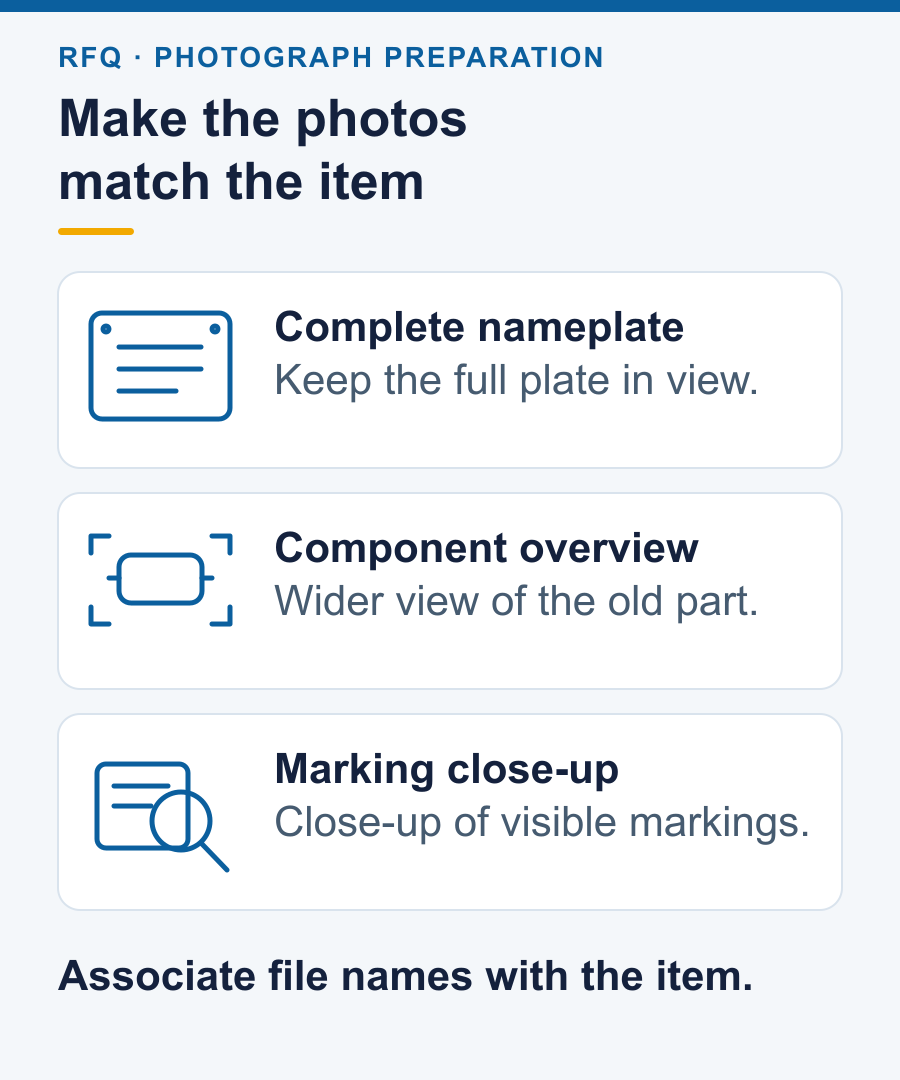
Put the transmission model and any available nameplate information at the top of the request. Include a clear photograph of the complete plate, rather than typing only the characters you can read.
Record vehicle details as supporting information. If the transmission has been replaced, say so and provide the details of the unit currently installed. If you cannot identify it, use the part identification route to share the evidence you have.
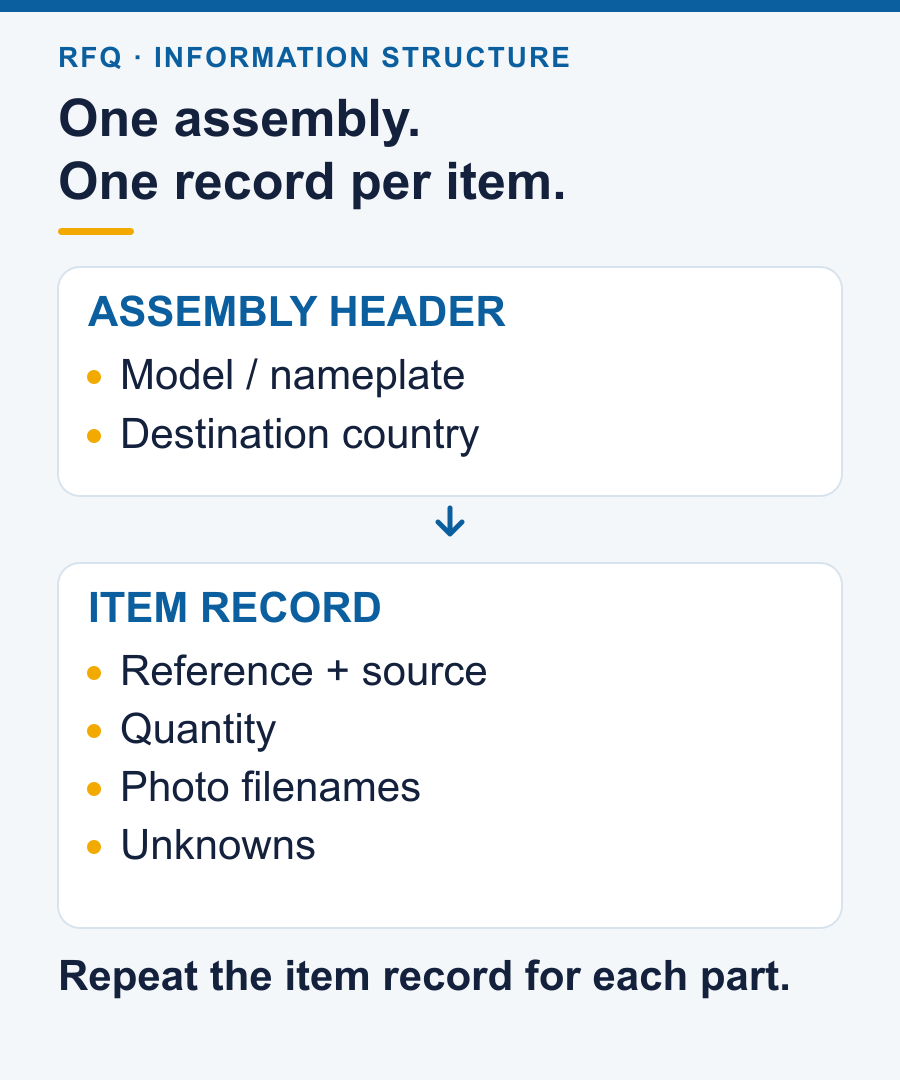
Keep one record for each component
Use item numbers such as Item 1 and Item 2 throughout your message, photographs and supplier replies. Keep each requested quantity beside its component.
| Record | What to include |
|---|---|
| Reference | The complete marking or catalogue reference, preserving letters, separators and suffixes |
| Reference source | Old-part marking, manufacturer document, packaging label or supplier list |
| Component and scope | Part name, position if known, and whether you are requesting a single item or a kit |
| Quantity | Units required for that item; keep quantities separate when several parts are listed |
| Evidence | Photograph names or document pages associated with the item |
| Open questions | Unreadable characters, uncertain suffixes, conflicting references or unconfirmed kit contents |
Keep an original reference and a supplier's proposed cross-reference in separate fields. Ask for the basis of the proposed match. For the detailed checks, see OEM references and supplier cross-references.
Do not complete an unreadable number by choosing the closest catalogue entry. Copy the visible characters, identify the missing section and include the original photograph.
Prepare photographs that match the item records
For each accessible component, include a wider view and a close-up of any markings. Photograph the complete nameplate separately. Keep original files so small characters remain available for review.
If you add a measurement, state its units and show where it was taken. A photograph or dimension is supporting evidence; it does not by itself confirm compatibility. You do not need to dismantle an assembly simply to complete an inquiry.
Add the commercial requirements once
State the destination country and any known delivery, packing or documentation requirements. If you have a preferred shipping term, include it as a request for confirmation.
Describe the product condition you want to purchase separately from the condition of the old component. For example, “old part is worn” is evidence about the sample, while “requesting new replacement parts” describes the purchase requirement.
If you need a certificate, traceability record or special marking, name the document or requirement. Ask whether it can be provided for the quoted item. Leave price, availability and lead time for the supplier to confirm against the actual request.
Copy this RFQ format
Assembly header
Company and contact:
Transmission model, exactly as recorded:
Nameplate details / photo filename:
Vehicle details and replacement-transmission history, if known:
Destination country:
Packing / delivery / documents requested:
Repeat for each component
Item number:
Complete reference and its source:
Supplier cross-reference, if proposed:
Part name / position / single item or kit:
Quantity required:
Old-part markings / photo filenames:
Required purchase condition:
Unknowns and points to confirm:
Use “unknown” where necessary. A short list of unresolved points gives the supplier a clear starting point for follow-up questions.
Send text and photographs through the right route
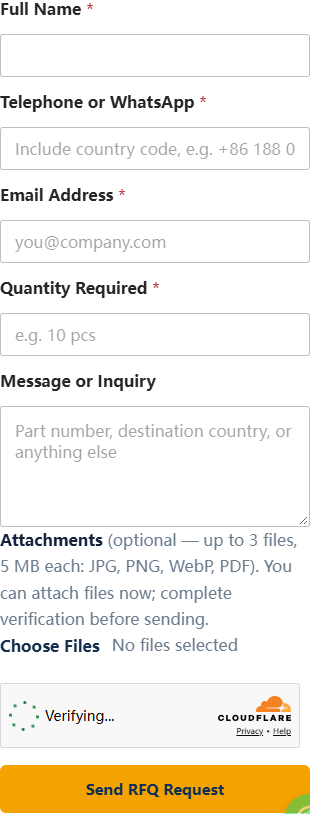
The Request a Quote page asks for your name, telephone or WhatsApp, email and quantity. Paste the assembly header and item records into Message or Inquiry. For several components, the quantity field can say “See item quantities in message”. This separate page currently provides text fields only.
For supporting files, use the Choose Files control in the RFQ form at the end of this guide. Follow the file types and limits shown beside it, and keep filenames associated with the item numbers in your message.
If the upload control is unavailable or you need another route, use the WhatsApp contact linked on the RFQ page. Repeat your company name and item numbers so the files can be associated with the request.
Before sending, check that every item has a quantity and that the destination is stated. Ask the supplier to identify any unresolved reference or scope questions in the reply. When quotations arrive, continue with the quotation comparison guide.
Ready to prepare your inquiry?